
How To Use Memory Maker With UK Magic Tickets
On This Page

Memory Maker is included wit UK Magic Tickets for free and gives you the ability to download and keep the photos that are taken by PhotoPass photographers around Disney World during your holiday. Photos can be downloaded as soon as they land in the app, which can be within minutes of them being taken. But included isn't the same as used, and plenty of UK families come home with a fraction of the photos they could have had, then lose half of those to the expiration clock just like I did.
This guide explains how to set Memory Maker up, how to use it in the parks and how to download your photos during and after your trip.
What Is Memory Maker?
Memory Maker is a digital photography package that Disney offers to all guests, but UK visitors with Magic Tickets get included for free with Magic Tickets. Memory Maker opens in a new tab gives you the chance to keep and download the photos that are taken around Disney Resort. This includes:
PhotoPass photographer photos. The Cast Members in bright green that you see taking pictures around the parks can take your picture and you can download it as part of buying a Magic Ticket. It’s a great way to get everyone in pictures in front of iconic places around the parks
Getting pictures taken with characters, on select rides, at the Disney Springs Marketplace Studios, at restaurants. These are all shots that you can keep through Memory Maker, which you have for the full length of your Magic Ticket.
Unlimited digital downloads of your pictures, which you can also share with other people.
Magic Shots
It’s a bit confusing, but your pictures in the app come under the heading Disney PhotoPass, and then Photo Gallery. But it’s the product, Memory Maker, that gives you access to download the pictures in the Photo Gallery.
How Do I Activate Memory Maker with a UK Magic Ticket?
Memory Maker works automatically once your UK Magic Ticket is linked in the My Disney Experience App. As soon as you link your ticket and the people in your group, Memory Maker is ready to use. Everyone linked in your group will also get the pictures in their My Disney Experience App to download. The only thing you’ll need to do is make sure you scan your ticket to get your photos after having them taken.
Using Memory Maker In The Parks
Memory Maker is easy to use in all 4 parks, and using it varies by photo experience rather than park:
For pictures around the parks: Head to where you see Cast Members wearing green tops, join a queue if there is one, and get your photo taken following their instructions, then scan your ticket, Magic Band or other linked device to get your pictures.
For pictures at character meet and greets: when you meet a character at some meet and greets there is a photo pass photographer taking pictures. For example at all Mickey Mouse character meets in the parks you’ll find a PhotoPass photographer. Again just scan your ticket to get your pictures, and expect to be asked to do this as you leave your character experience. At these locations, ask if they will also take a picture on your phone so you have a few back up shots. These are some of the worst pictures I have, but there are also some amazing ones.
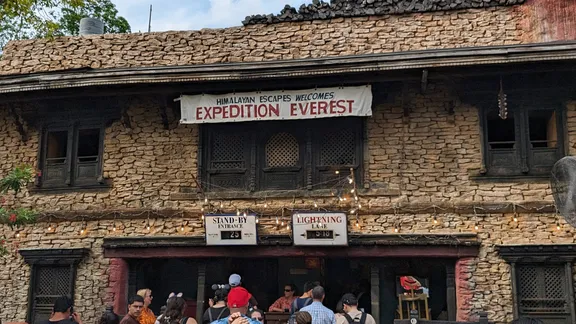
For pictures on rides it works a little differently. Pictures are on screens in the shop at the end of the ride and you scan your ticket over your picture on older rides. This means you need to stop and look, scanning to get your picture. This is the case on Expedition Everest. On newer rides, like TRON, pictures are automatically sent to your phone and you don’t need to look for a screen. Picture quality looks the same as you’d get in an Alton Towers ride photo.
A benefit of using Memory Maker in the parks is that if you split up, you can still get photos with Magic Tickets. Each group can still get pictures taken separately and they’ll still end up in everyone’s Memory Maker if your tickets are linked. Great for grandparents taking little ones to Story Book Circus, while older children and parents enjoy a ride on TRON for example.
Memory Maker has the same rules as Magic Tickets when it comes to usage, it can be used on the 7 or 14 park days.
If you can’t find a photo and it’s over 24 hours later?
While you in Disney World if you can’t find a photo that was taken you can pop into a PhotoPass office in the parks or if you realise when you get home or it’s not a park day, email: DisneyPhotoPass_support@DisneyWorld.com
Which Disney World Rides Have On-Ride Photos and Videos?
14 of Disney World’s rides have PhotoPass photos opens in a new tab and of that 14, 3 have videos too, across the 4 parks. These are all included in the UK Magic Ticket free Memory Maker deal, so you can download them to keep.
Park | Ride | Photo | Video |
|---|---|---|---|
Magic Kingdom | TRON: Lightcycle Run | ✅ yes | ✅ yes |
Magic Kingdom | Seven Dwarfs Mine Train | ✅ yes | ✅ yes |
Magic Kingdom | Tiana’s Bayou Adventure | ✅ yes | ❌ No |
Magic Kingdom | Buzz Lightyear’s Space Ranger Spin | ✅ yes | ❌ No |
Magic Kingdom | Space Mountain | ✅ yes | ❌ No |
Magic Kingdom | Haunted Mansion | ✅ yes | ❌ No |
Magic Kingdom | Pirates of the Caribbean | ✅ yes | ❌ No |
EPCOT | Test Track | ✅ yes | ❌ No |
EPCOT | Frozen Ever After | ✅ yes | ❌ No |
EPCOT | Guardians of the Galaxy: Cosmic Rewind | ✅ yes | ❌ No |
Hollywood Studios | The Twilight Zone Tower of Terror | ✅ yes | ✅ yes |
Hollywood Studios | Rock 'n' Roller Coaster Starring The Muppets | ✅ yes | ❌ No |
Hollywood Studios | Slinky Dog Dash | ✅ yes | ❌ No |
Animal Kingdom | Expedition Everest | ✅ yes | ❌ No |
If a photo is expected and doesn’t appear within a day, have a word with Guest Services as they can often try and find the photo for you.
What Are Disney Magic Shots?
Magic Shots are the pictures that feel the most awkward to take, but look cool because Disney add a digital extra to the finished photo, such as Tinkerbell in your palm, balloons, or a ty-fighter in Batuu. They’re included with the Memory Maker package free with UK Magic Tickets.
How To Get Them
You can get Magic Shots at some locations, and photographers don’t always do them, but you can always ask. They give you pose instructions, like cupping your hands and looking down. Magic Shots do change seasonally, and you’ll often find them at EPCOT festivals and for holidays like Christmas and Halloween.
The finished shot lands in your gallery alongside the normal version, sometimes after a slightly longer processing delay.
Why Seasonal Magic Shots Are Great For UK Visitors
Seasonal Magic Shots tied to events and seasons, some are Annual Pass holder or DVC specific, but some are open to everyone and these are the shots I recommend you get if you can. There always seems to be something different going on at Disney World, and getting a picture to commemorate it time stamps your holiday in that season.
Tips To Get The Most From Memory Maker
Using Memory Maker well means you can have something you don’t normally get on a family holiday: an album full of pictures with EVERYONE in them. Not just one or two, or a collection of oddly angled selfies; proper pictures. And for UK visitors this is a huge benefit, especially given how much planning and. let’s face it money, goes into a Disney World holiday. Using this perk well gives you enough pictures to document every Disney day as a family in multiple locations around the park.
To get the most from Memory Maker, here’s what we do:
Stop for a picture early in the day while everyone still looks half put together
Stop for a picture towards the end of the day
Always grab a picture in front of the park landmark every day you’re in the park
Ask if the photographer will snap a picture on your phone too
If we see a PhotoPass photographer without a queue around the park see it as an opportunity and grab a picture
Downsides and Reality Of Using Memory Maker
Having Memory Maker means you can get upwards of a hundred unique photos of your trip by using it well over 2 weeks, but it does have some downsides:
Photo quality varies from photographer to photographer
Pictures do sometimes go missing or get mixed up; it’s rare but you’ll hear about it in Facebook groups
It’s easy to forget the photos need downloading when you get home
Memory Maker is an effort to use well, you have to be determined about stopping for pictures, and in some places that does mean a queue
Expect your photos to have people in the background, unless it’s very quiet firs thing or last thing, you’ll have people behind you.
How Long Do You Have To Download Photos Before They Disappear From The App?
You have 45 days from the first day a picture is taken, so they disappear in stages from the app in my experience.
It sounds like a long time to download them, but it isn’t. You’re busy on holiday and then when you get home, jet lag kicks in, so does your normal routine and then suddenly those pictures are overlooked and the time has passed. Then the pictures are gone, and your stomach sinks. I know, because I did it.
I forgot to download the pictures. A frantic email exchange with Disney later restored my pictures for 7 more days, but that’s not always possible. Now, I set 3 alarms in my phone, so I can make sure I have all my photos downloaded.
My tip is to set the phone alarms before your holiday begins as part of your trip planning:
1 for 30 days after the first park day you have planned at a time you know you’ll be watching telly.
1 for 31 days after the first park day you have planned, again at a time you know you’ll be free
1 for 35 days
When Should I Download My Memory Maker Photos?
Downloading as you go, over free hotel or Disney Parks free Wi-Fi. Downloading photos while you’re away means you can share them like postcards with family and friends at home. But, ensure you are downloading when connected to free Wi-Fi, otherwise you can run-up costs on your phone.
You can download in the parks for free as soon as pictures come through, but the reality is that you probably won’t be doing that.
Back everything up to Google Photos, iCloud or a hard drive once downloaded. Disney's gallery is a collection point, not an album; nothing stored there is permanent.
What Resolution Should I Download My Photos In?
Always download your pictures in high resolution to get the best picture quality. I’ve found pictures come out grainy in the other download sizes, especially if you come to upload them to your socials or you want to print them when you get home.
Is Memory Maker Worth It?
Since it’s free; it’s worth it for UK visitors with Magic Tickets. If you’re looking to pay for it because you didn’t get a Magic Ticket, don’t bother. As a freebie added into the UK Magic Ticket package Memory Maker is valuable, especially over 14-Days for UK families building a photo album of their holiday with everyone in lots of the pictures.
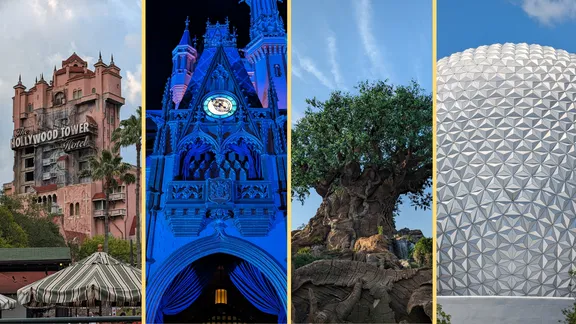
The biggest win for Memory Maker is the whole group photo and not uncomfortably having to ask someone to take a picture. PhotoPass photographers are all over the parks in the key locations and having that picture of everyone in a shot in front of the castle or the Tree of Life is often what makes the holiday. It’s the picture that you’ll put in a frame or on the wall, and that’s priceless. And what makes this perk worth it.
Getting the most out of it involves actively deciding to go and get a picture, and while most come out great and you’ll definitely get a few to hang on the wall with everyone in one shot, you can get some that are over exposed and blurry. To get the shot for the wall you’ll probably also need to get your picture taken a good number of times. We’ve found the best photographers are often at Cinderella Castle, or other park icons, because they know people want that picture for the wall.
Next steps
Where to go next
The next steps from here
 Booking Disney World Holidays From The UKLooking at what you need to book for a Disney World holiday with a handy UK checklist of essentials and optional extrasBooking Flights To Orlando From The UKFind out about booking flights to Orlando from the UK, which UK airports fly direct to Orlando's biggest airport, costs and best times to book
 Disney World Lightning Lanes Explained: Which To Choose?Compare all 3 Lightning Lane options, find out how to use them, and what they are, which rides aren't included and more
Questions First Timers Ask About Using Memory Maker With Magic Tickets
Is Memory Maker "a UK thing"?
The inclusion of Memory Maker with a tickets package is a UK exclusive, the product isn't. Memory Maker is a Walt Disney World product sold to anyone, but Disney Magic Tickets are UK & Ireland-exclusive and they bundle perks like Memory Maker.
What's the difference between Disney PhotoPass and Memory Maker?
Disney PhotoPass is the photo service/system. Memory Maker is the access to the product that lets you have unlimited downloads.
How do ride photos link to my account?
Enable Bluetooth permissions in the My Disney Experience app, and keep your phone with you (and on Android, also enable Location permissions and turn off Power Saver).
Can one person download everyone's photos on a UK family trip?
Often yes, if you set up Family & Friends sharing correctly so photos taken by different members appear in the right gallery for downloading.